The loan ledger your cooperative keeps by hand, kept for you.
ko-op.loan runs a cooperative's loans, savings and share capital: applications and approvals, releases with every deduction, payments at the counter, the end-of-day sheet, and the journal entries your bookkeeper posts.
For credit and multipurpose cooperatives in the Philippines.
Loan ledger
Member 0219, regular loan
Principal₱12,000.00
| Date | Particulars | Paid | Balance |
|---|---|---|---|
| Jan 05 | Loan released, net of deductions | 12,000.00 | |
| Feb 05 | Amortization 1 of 12, OR 0412 | 1,000.00 | 11,000.00 |
| Mar 05 | Amortization 2 of 12, GCash | 1,000.00 | 10,000.00 |
| Apr 04 | Amortization 3 of 12, OR 0587 | 1,000.00 | 9,000.00 |
| May 05 | Amortization 4 of 12 due | 1,000.00 | 8,000.00 |
One loan, desk by desk
The record your loan officer opens is the one the teller, the manager and the bookkeeper work on next, so nobody copies a figure from one ledger into another.
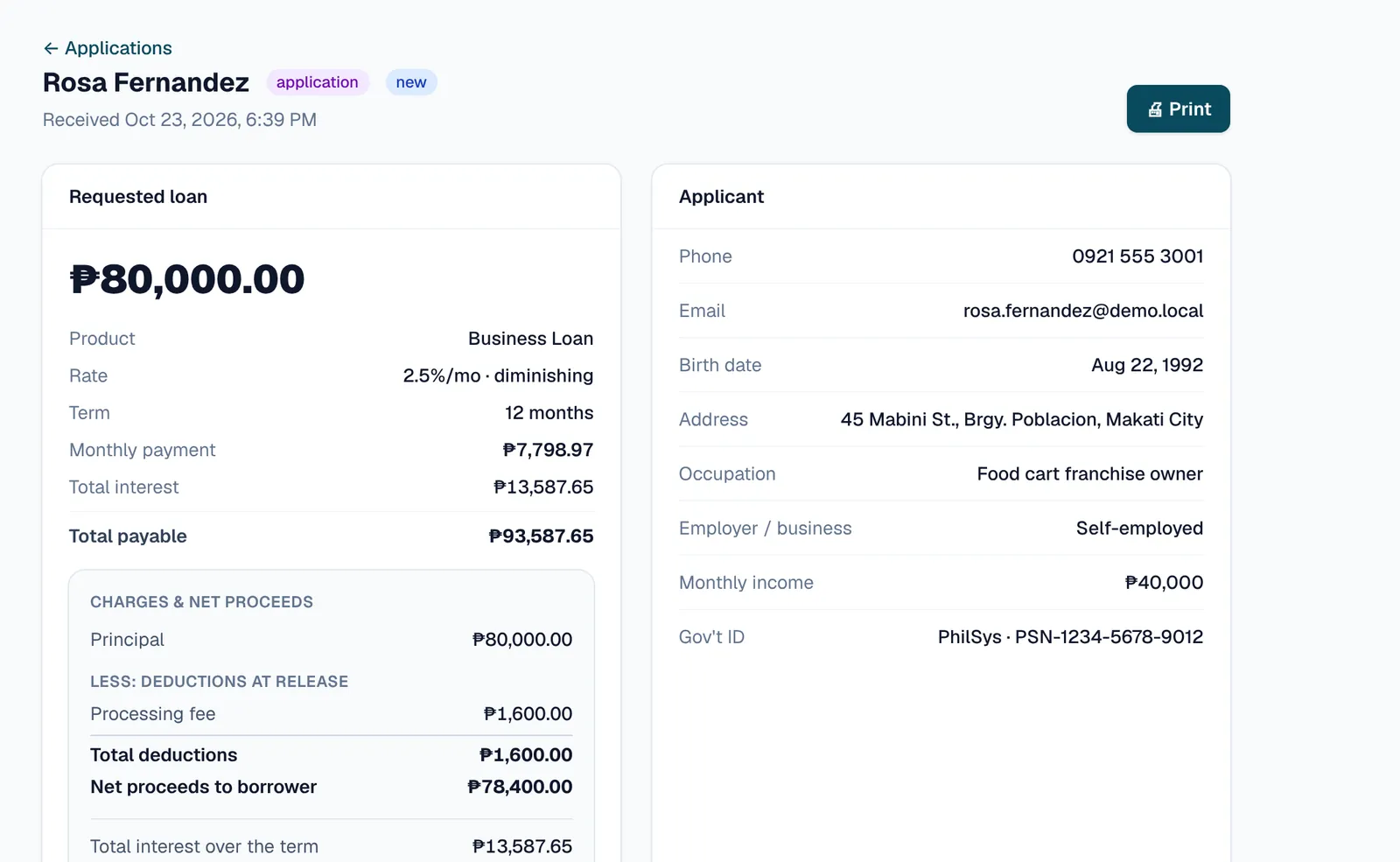
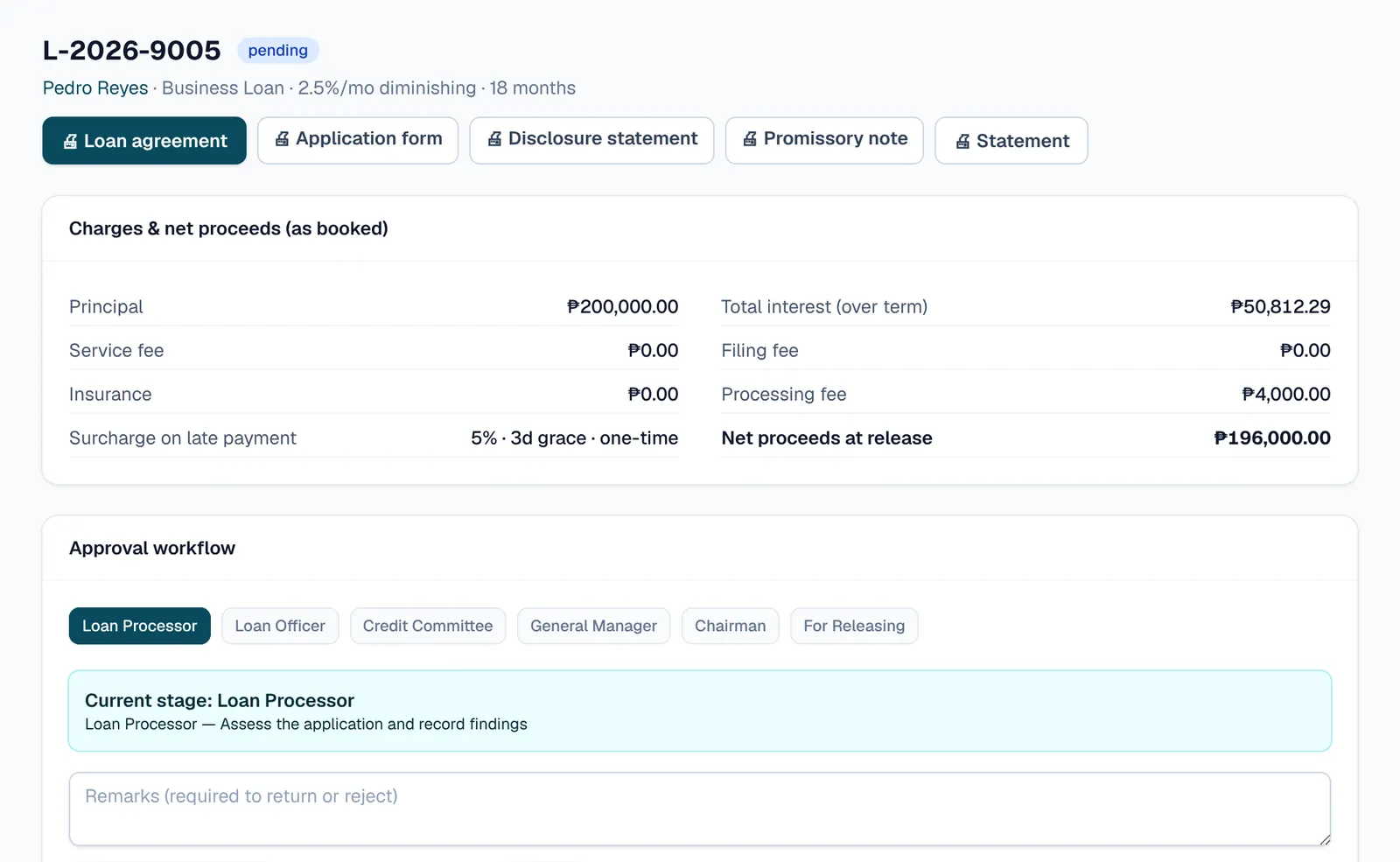
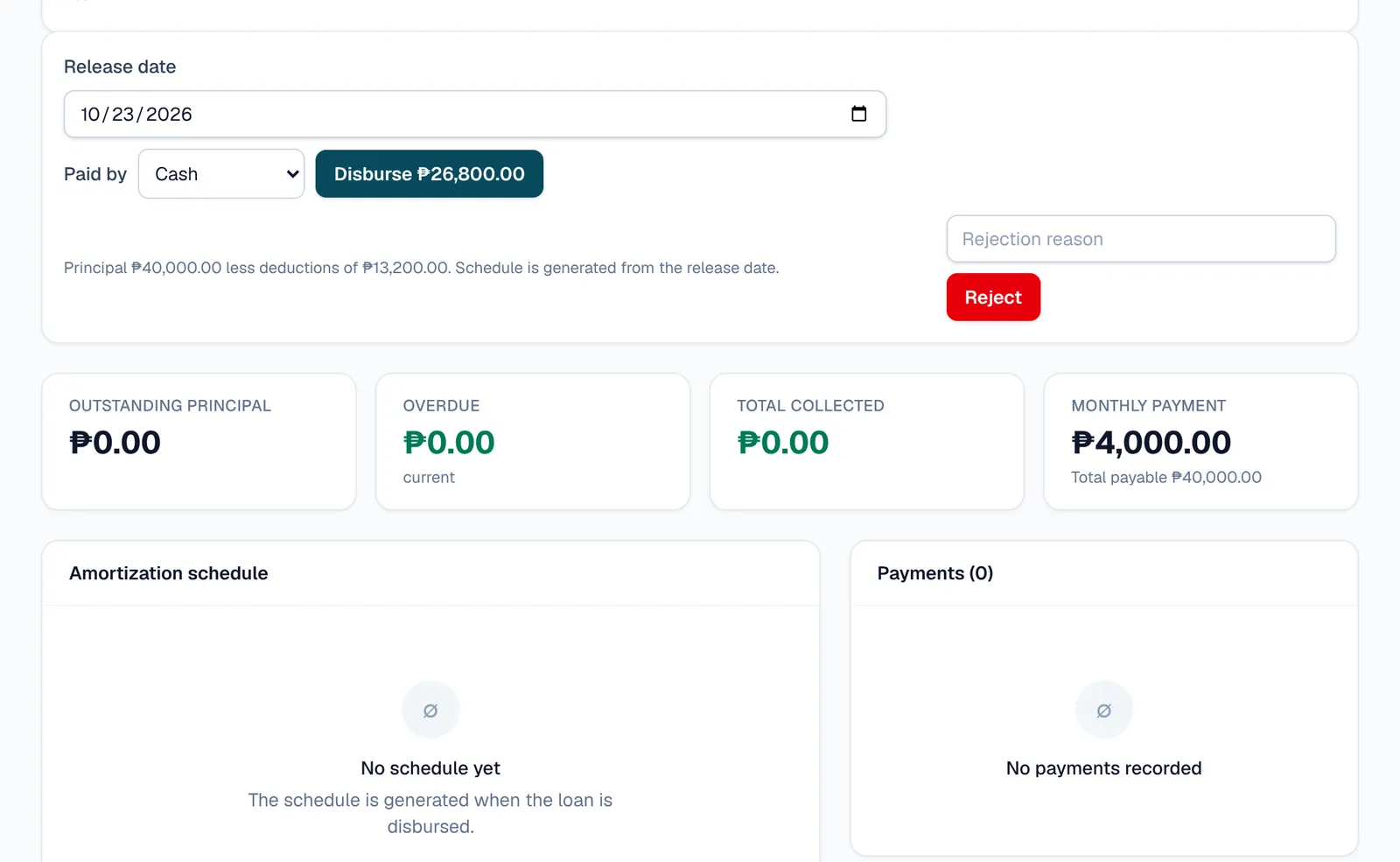
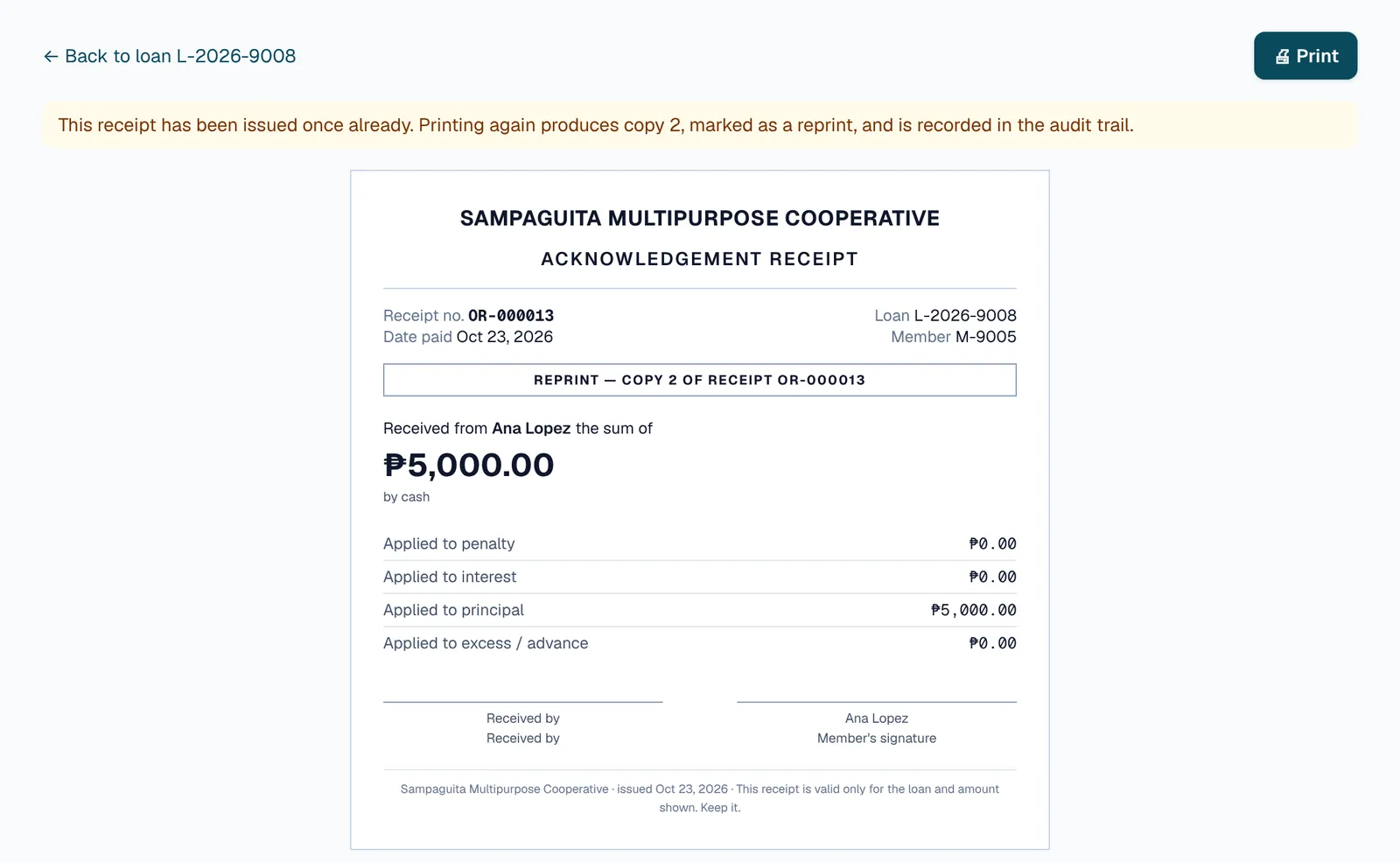
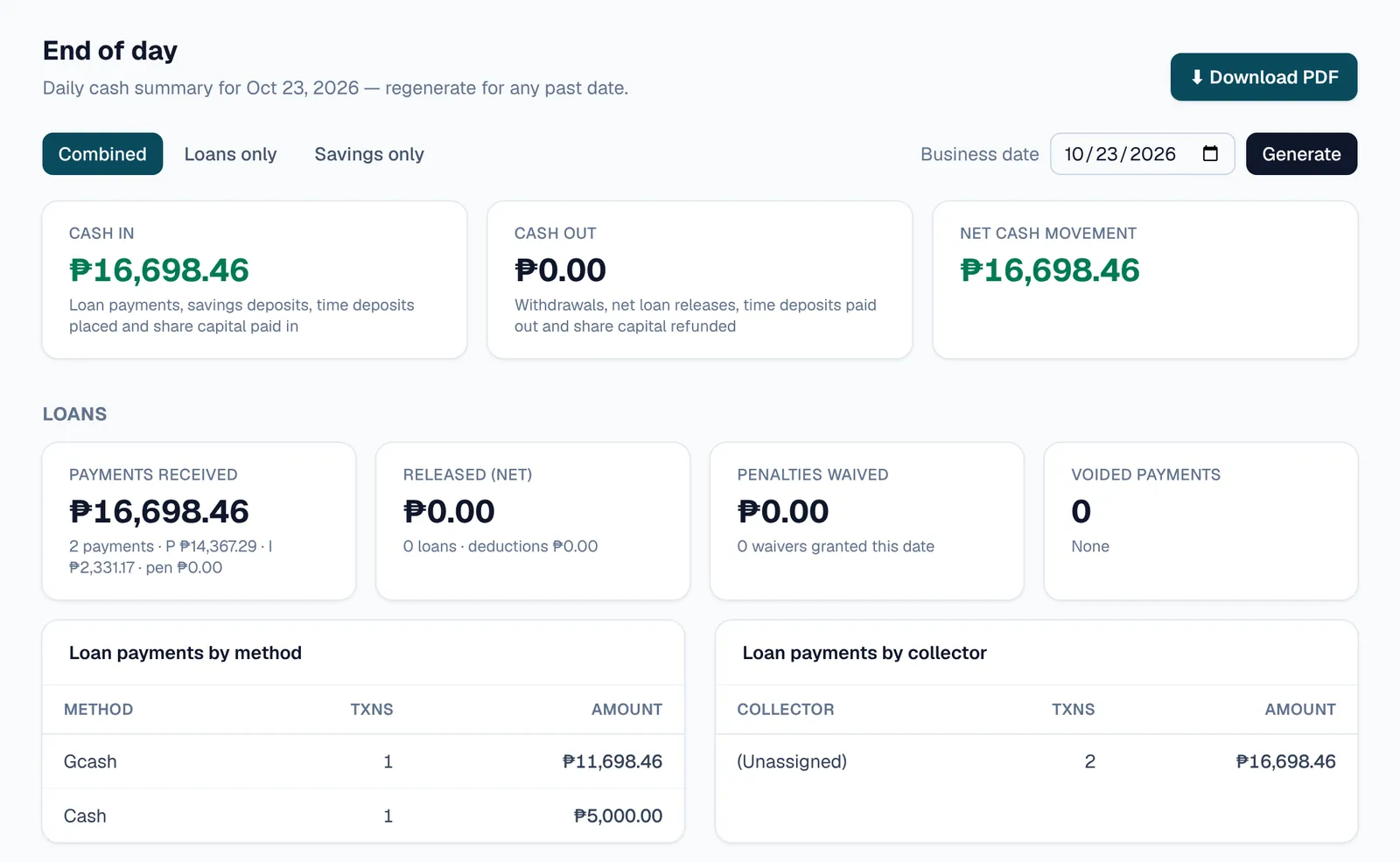
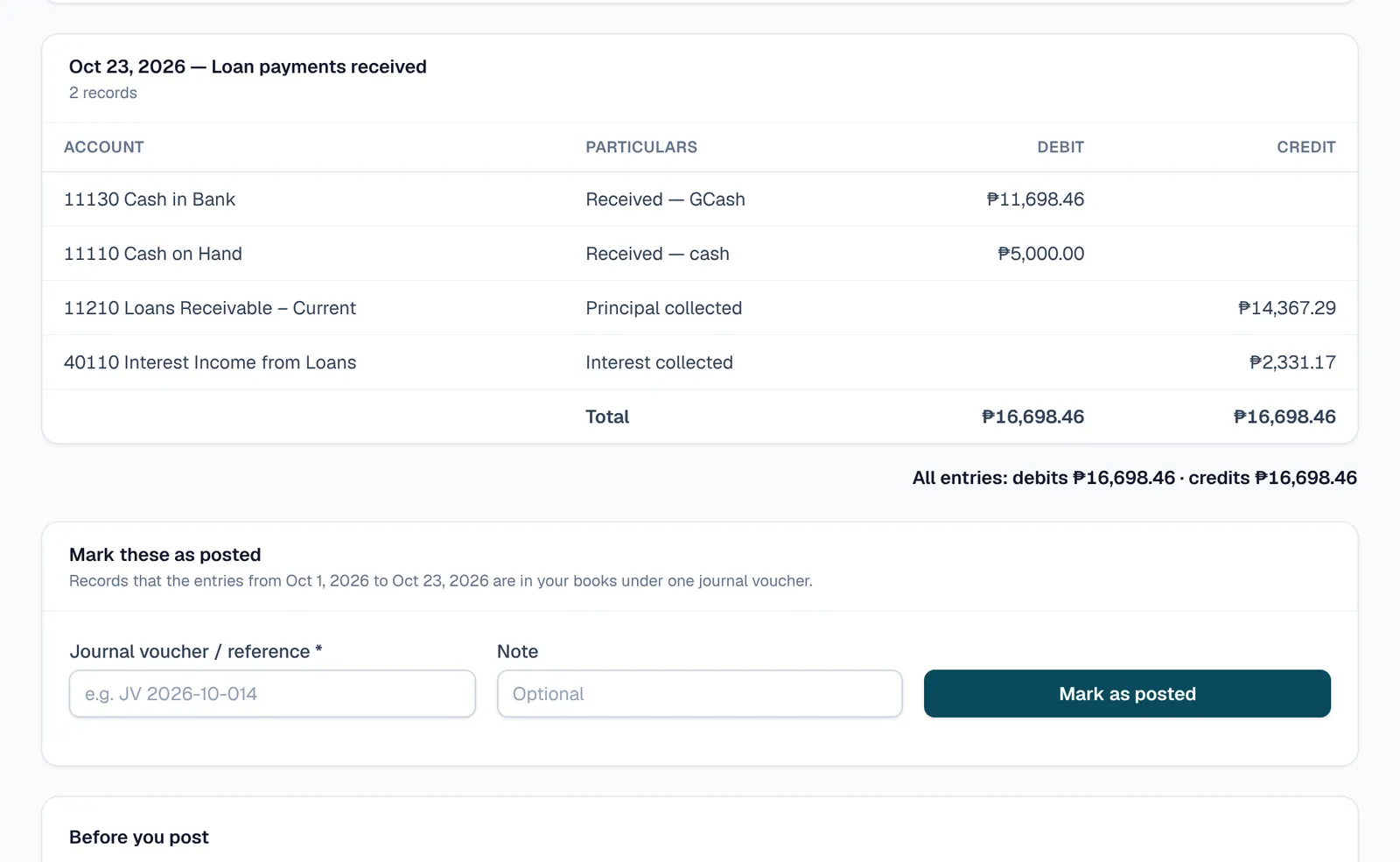
The application as your staff see it, with a sample cooperative and made-up members.
What's included
Switched on per cooperative, so you start with what you need and add the rest when you are ready.
- Loans
- Loan types with your own terms, rates and deductions. Amortization schedules, restructuring, write-offs and recoveries, and an aging report.
- Savings and time deposits
- Savings accounts with interest posted every month, and time deposits with their own rates and maturities.
- Share capital
- Each member's paid-up capital with its full history, and payments taken at the counter.
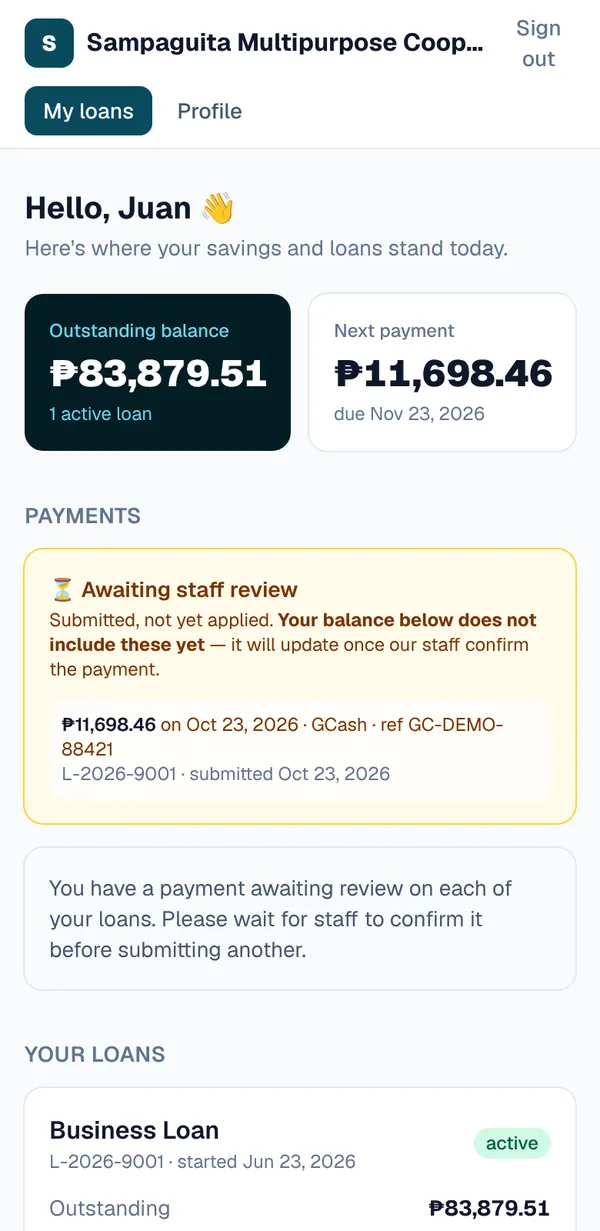
- Member portal
- Members see their loans, schedules and payments, and ask for changes to their profile, which staff review.
- Reminders
- Due-date reminders and overdue notices by email, and by SMS where you switch it on.
- Accounting and CDA figures
- Journal entries, audit schedules, allowance for probable losses, period close, the Article 86 allocation of net surplus and the CDA performance indicators.
- Roles
- Cashier, bookkeeper, manager and administrator, each seeing what their job needs and nothing they should not change.
- Audit trail
- Every change is recorded with who made it and when, and the log can be searched by person, record and date.
Keep your books the way you keep them.
Most cooperatives keep their general ledger by hand or in spreadsheets, and the board, the auditor and the CDA are used to reading it that way.
ko-op.loan does not ask you to change that on the first day. It takes over the member-facing work, and gives your bookkeeper the entries to post, already mapped to your accounts.
Your cooperative's own
Your own address
Your members apply and sign in at yourcoop.ko-op.loan, or at a domain you own.
Your own staff
Every login belongs to one cooperative. A password somebody else chose has to be changed at first sign-in.
Your rates stay yours
Your public page lists your loan types without interest rates. Members get the terms when you review their application.
Every change on record
Releases, payments, voids and edits carry who did them and when, for your manager and your auditor.
Questions cooperatives ask
How much does it cost?
We agree pricing with each cooperative while we set it up. Request an account and we will talk it through with you.
Do we have to change how we keep our books?
No. ko-op.loan runs loans, savings and share capital, and hands your bookkeeper the journal entries to post. Your general ledger stays where it is, on paper or in spreadsheets.
Who can see our members' records?
Your own staff, according to their role. Platform administrators cannot read your records without opening a support session, which has a time limit and is written into your own audit log.
Can we use our own web address?
Yes. You start at yourcoop.ko-op.loan, and can move to a domain your cooperative owns.
Does it file our CDA reports?
It produces the figures behind them: performance indicators, audit schedules, the allowance and the year-end allocation. Preparing and filing the reports stays with your cooperative.
Does it work without an internet connection?
No. It runs in a web browser and needs a connection. It works on a phone as well as a computer.
Where does it run?
The application and its database run in Singapore, on Amazon Web Services.
Something else? Ask us directly.
Getting started
Tell us about your cooperative
A short form: who you are, how many members, and how you keep your books today.
We go through your policy
A call or a meeting to go over your loan types, rates, deductions and approval rules.
We set it up
Your address, loan types, chart of accounts and your staff's logins.
You start at the counter
Bring members and running loans over, then take the day's payments on it.
Tell us about your cooperative
A short form. We reply by email or phone, and nothing is set up until we have gone through your policy with you.
Request an accountRather write? hello@ko-op.loan or ask a question.
Already using it? Sign in at your cooperative.